
 CySo Invoicing
Your invoices. Your device. Your cloud.
Quotations, invoices, receipts and expenses for freelancers, sole traders and firms where one person does the invoicing. Need a team? See CySo Flow. Your documents are kept on your device and saved to your own cloud storage.
The Android app is a direct download (APK). Your phone will ask you to allow installs from your browser the first time.

See it in action.
A short tour of CySo Invoicing: quotes, invoices, Cyprus VAT and getting paid.
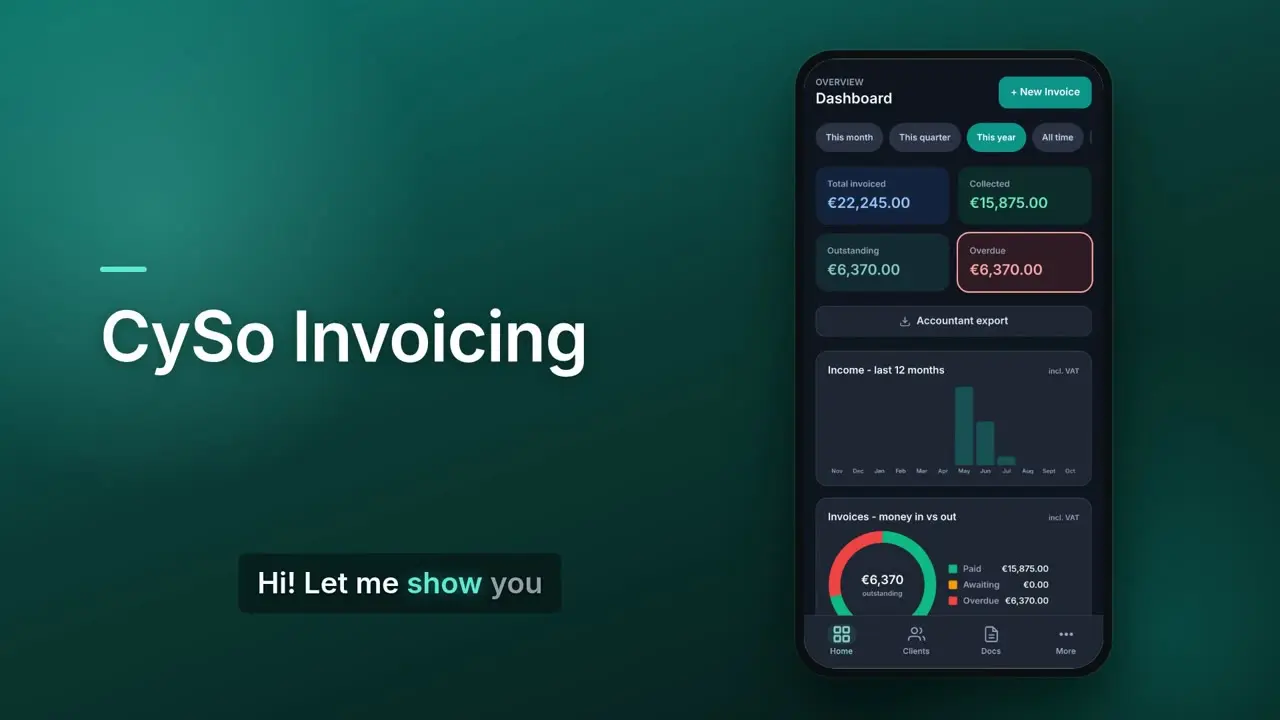
From quote to paid, on one screen.
Real screens from the app, using a demo company.


What it does.
Every document you need
Invoices, quotations, receipts, credit notes, service reports, expenses and simple inventory.
Online quote approval
Send a link. Your client reads and accepts the quotation in their browser, with no account and no app.
Your own cloud
Save your documents to Google Drive, Dropbox, OneDrive or any WebDAV storage you already use.
Recurring invoices
Set up a regular invoice once. When it is due, a draft is ready for you the next time you open the app.
Web and Android
Use it in any browser, or install the Android app and work from your phone.
Three languages
Use the app and issue documents in English, Greek or Russian.
Works with CySo Flow
Growing into a team? Keep both apps in step.
Link CySo Invoicing to your own CySo Flow account with a sync key you create in Flow. Customers, products and documents then sync both ways, with one numbering series, so nothing is typed twice. New records come across at once; an edit, deletion or cancellation made in the other app waits for your approval, and you can keep your own version instead. Document settings and line-item templates sync too, and changes to them need your approval as well. Layouts made with Flow's Document designer stay in Flow. Flow's other modules stay in Flow. Needs a paid CySo Flow plan (from Starter).
- Customers
- Products
- Quotations
- Invoices
- Receipts
- Credit notes
- Expenses
While the two are linked, issuing a numbered document needs an internet connection; drafts still save offline. Issued invoices, receipts and credit notes can then no longer be changed: they are voided or credited, in either app. Each app keeps its own stock count. Only the business owner can create the key, and both apps must use the same currency.
AI connector ChatGPT directory: in review
Ask ChatGPT or Claude to do the invoicing.
Connect your AI and ask in plain words: "How much is outstanding this month?" or "Invoice Maria €200 for Tuesday's job." Issuing invoices, sending anything and recording money always wait for your approval. New keys start read-only. For each key you decide what the AI may read, what it may do once you approve it in the chat, and what it may not do at all, as on the screen here.

Prices.
Prices exclude VAT. Start free on the web, no card needed. See all CySo prices.
Free
€0
Up to 10 new invoices a month, plus quotations, receipts and expenses, on the web.
Pro
€9.99 / month + VAT
€11.89 incl. VAT. Or €99.99 a year (€118.99 incl. VAT). Unlimited invoices, plus the AI connector for ChatGPT and Claude.
Where your data lives.
Your documents stay on your device and in the cloud storage you connect. Your account and settings are kept by us so you can sign in on another device. A copy on our servers is only made if you switch on an AI connector or accountant access, or sync with your own CySo Flow account (your customers, products and documents are then also kept in that Flow account). If you choose push reminders for recurring invoices, their number, due date and amount are also stored so the reminder can be sent. Quotations you send for online approval, and your client's signature, are kept for up to 60 days so your client can approve them.
Security and your data Privacy notice Terms Delete your account
Send your first invoice today.
Start free on the web. No card needed to try it.