
Add-on · €19 a month · included in Teams
Time & Attendance
Staff clock in at a kiosk tablet, or on their own phone when they are inside one of your locations. You see who is on, plan the week, approve leave and shift requests, and export timesheets with overtime. Your staff get their own clock page and portal with their shifts, hours, leave and earnings.

See it in one minute.
What it does.
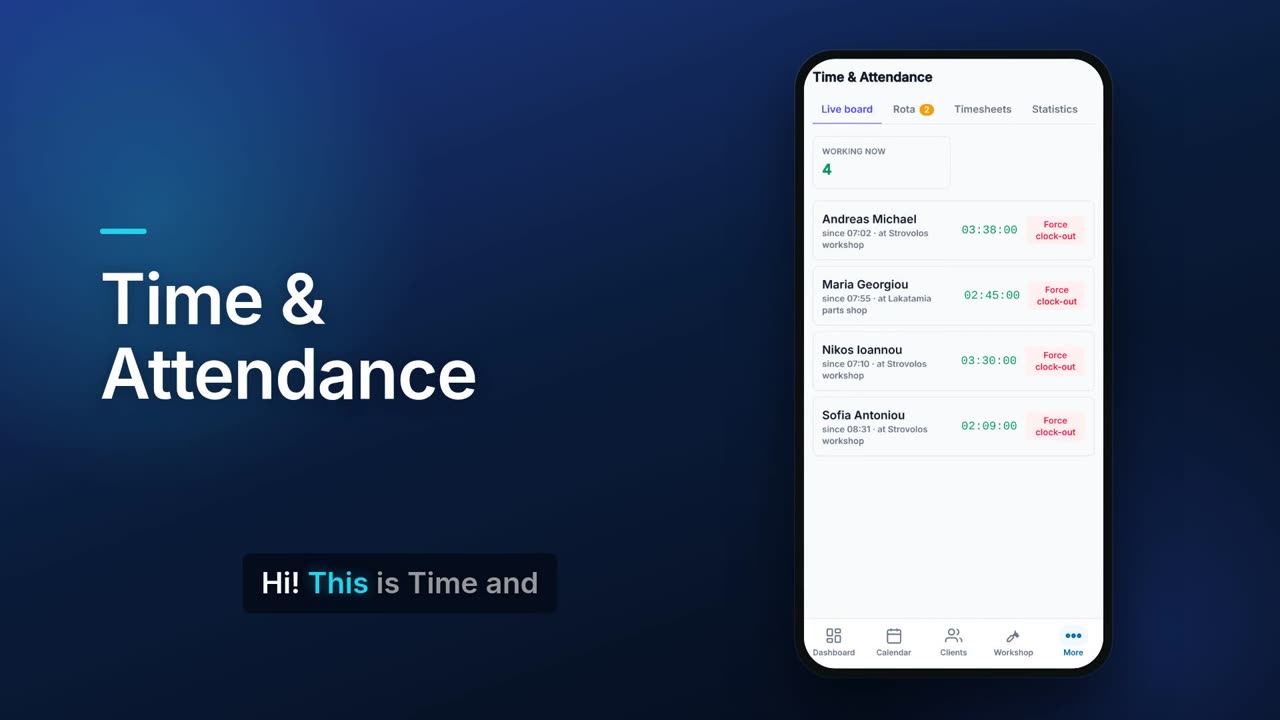
Live who's-working board
See who is clocked in, since when and at which location, with a running timer. Close a forgotten shift with Force clock-out.
Location checked on the server
When staff clock in from their phone, the server checks their GPS position is inside one of the locations they are assigned to.
Locations with a radius
Add each site with an address, a GPS point and a radius from 20 to 2,000 metres, or use your current location.
Kiosk tablet at the door
Each location gets its own kiosk link. Staff type their PIN to clock in or out, and clocking out shows the shift time and any overtime.
QR code that changes
The kiosk shows a QR code that changes every 30 seconds, so staff can clock in on their own phone only while standing in front of the screen.
Kiosk lock after wrong PINs
After repeated wrong PINs the kiosk locks for a few minutes.
Choose how people clock in
Turn on any mix of kiosk QR plus PIN, tablet PIN only, or their own phone with location.
Weekly rota
Plan the week by person in a table or day by day, filter by location, type a whole week as text, and publish when ready. No-shows are flagged.
Suggest next week
Flow drafts the rota from each location's shift timetable, how many people each shift needs and your rules, fills only the gaps, and waits for you to publish.
Shift requests
Staff ask for shifts and you accept or reject them. A request is refused with a reason if the person is already rostered or on leave that day.
Timesheets with overtime
Filter by person and dates, see total hours and overtime, correct a punch with a reason, and export CSV, PDF or a monthly hours sheet.
Forgotten shifts closed
Shifts nobody clocked out of are closed after the maximum length you set and marked for review on the timesheet.
Statistics against the rota
Group hours by employee, location or department, with days worked, overtime and the difference from the rota, and export CSV.
Leave approvals
Approve or reject requests with a note while seeing the remaining balance, and see who is off soon. Approved leave can block clock-in on those days.
Overtime rules and holidays
Set working hours and overtime multipliers for weekdays, weekends and public holidays, and add Cyprus public holidays for the year in one tap.
Staff clock page and portal
Staff see their shifts, hours and leave balances, request leave and see what they have earned this month. The portal adds documents and messages, behind their own sign-in.
Real screens.
From the app, using a demo company.


Price.
Prices exclude VAT. Needs Employees. See all CySo prices.
€19 / month + VAT
€22.61 incl. VAT. Time & Attendance is an add-on on the Pro plan and is included in the Teams plan. It needs Employees, and is also available with Payroll in the People bundle. 90-day free trial. Yearly costs the same as 10 months.
Works well with.
Try Time & Attendance in CySo Flow.
Start on the free plan and switch modules on from inside the app.