
Add-on · €39 a month
Delivery
Your office creates deliveries, or takes an order over the phone that becomes one, and assigns it to a driver. Each drop moves through fixed steps, from Waiting to Delivered, and every step is time-stamped. The customer gets a link to a page that shows where their order has got to, without showing their address or phone number.

See it in one minute.
What it does.
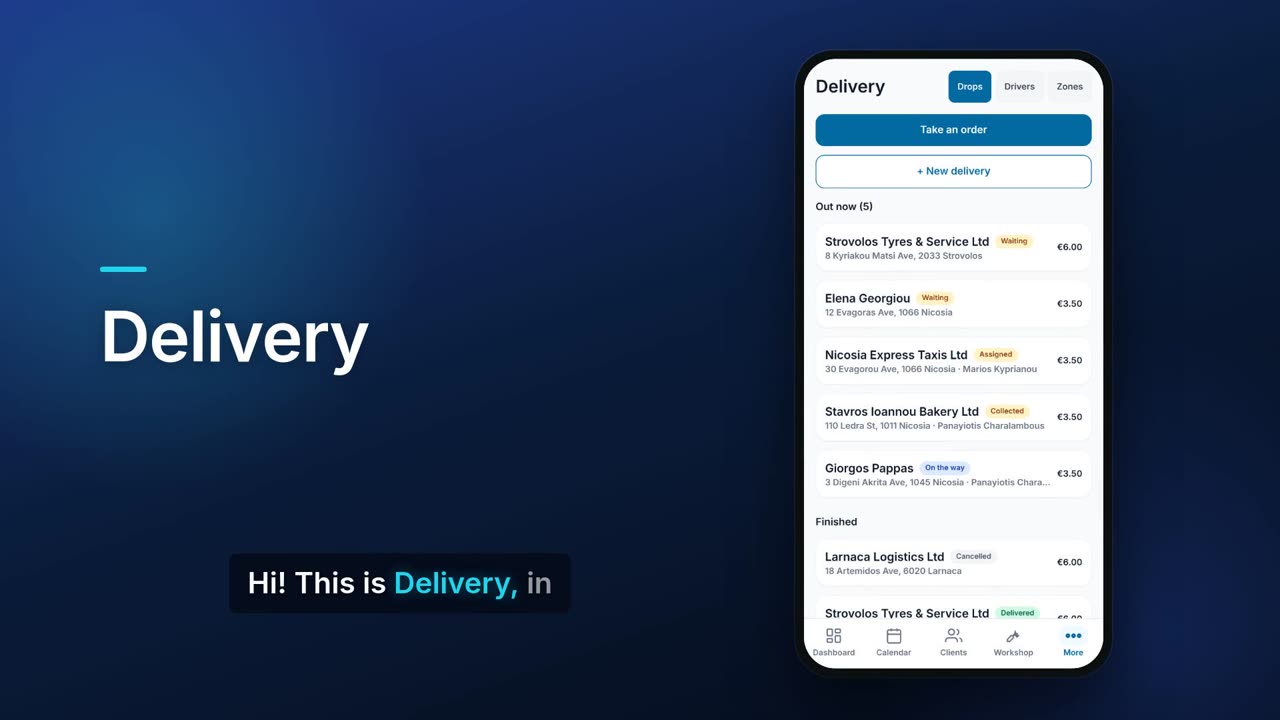
Drops out now, and finished
See every active drop with its customer, address, driver, status and fee, and the finished ones below.
Fixed delivery steps
A drop goes Waiting, Assigned, Collected, On the way, Delivered. Only the next allowed step is offered, so a drop cannot skip a stage.
Every step time-stamped
Each drop shows a timeline with the time it was assigned, collected, set off and delivered.
Proof of delivery
Take the customer's signature on screen, or a note such as 'left with neighbour', when you mark a drop delivered.
Failed drops and retries
If a drop cannot be delivered, record why. You can then assign it again as a new attempt, and the earlier attempt's times are kept.
Take an order by phone
Build a basket from your priced Warehouse items, choose delivery or collection, and place the order. A delivery to an address in one of your zones adds the zone fee to the total, the order is recorded as unpaid, and it becomes a drop with its own tracking link.
Drivers and their stops
Keep a list of drivers. Each one shows how many drops are out, delivered and failed, their average delivery time, and their current stops in order.
Delivery zones and fees
Set zones with a radius and a fee, and pick a zone on a drop or name zones after places so the fee is taken from a matching address. Phone and portal orders add that fee to the order total. You can always type the fee yourself on a drop.
Tracking link for the customer
Copy a link to a public page that shows the shop's name, the order reference, the driver's first name while on the way, and each step with its time. The address and phone number are never shown.
Tracking page updates itself
The customer's page refreshes every minute while the delivery is live. Links expire after 30 days.
Call the customer from the drop
The customer's phone number on a drop is a tap-to-call link.
Link drivers to GPS trackers
With Traccar GPS connected, you can link each driver to a tracker, and the driver card shows when the tracker is reporting.
Real screens.
From the app, using a demo company.


Price.
Prices exclude VAT. Needs the Pro plan or above. See all CySo prices.
€39 / month + VAT
€46.41 incl. VAT. Delivery is an add-on on the Pro plan or above. Taking an order by phone needs priced items in Warehouse. Yearly costs the same as 10 months.
Works well with.
Try Delivery in CySo Flow.
Start on the free plan and switch modules on from inside the app.