
Add-on · €59 a month
POS
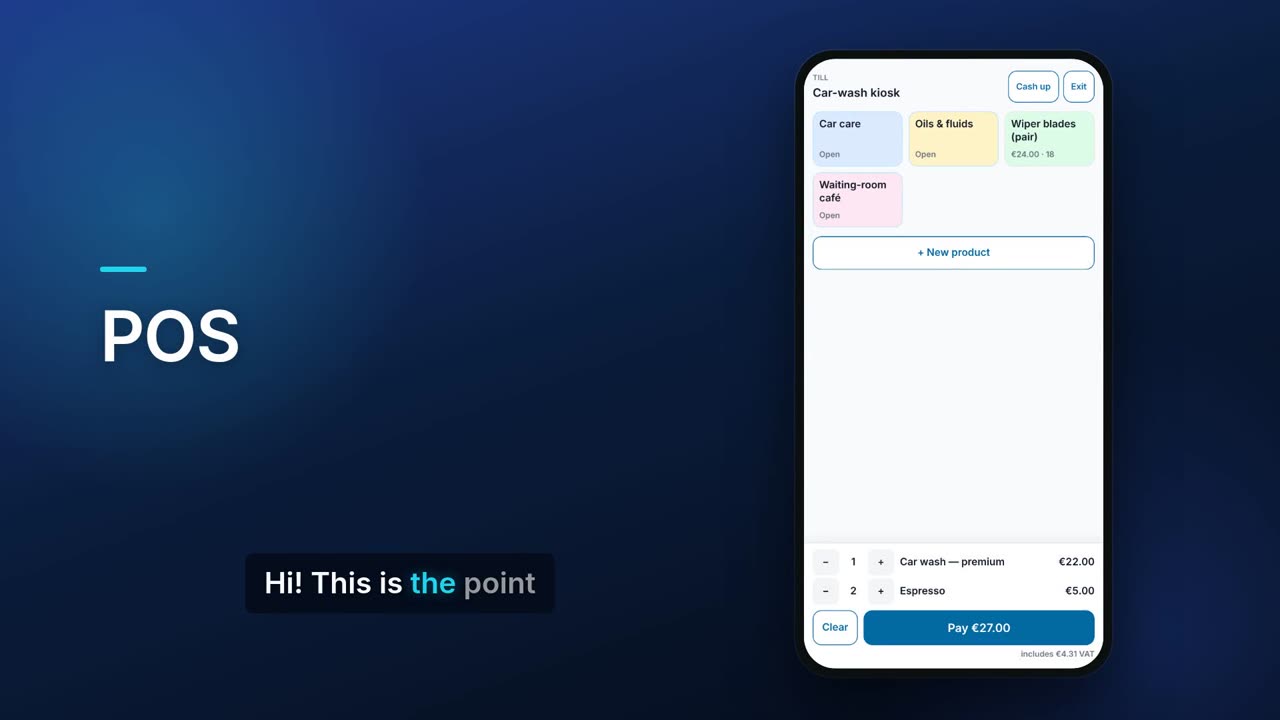
POS gives you a button till: staff tap items into a basket, take payment and move on to the next customer. Each shift starts with an opening float and ends with a blind cash-up. From the office or your phone you see takings, best sellers, open drawers and a live tape of what is pressed at every till.

See it in one minute.
What it does.
Open the till with a float
Each shift starts by counting the opening float and opening the till. A till with no open drawer cannot take money.
Big buttons, folders and a basket
Tap item buttons or open folders to build the basket. Tapping the same button again adds to the quantity, and you can adjust each line with plus and minus.
Total with VAT
The basket total is always on screen with the VAT it includes.
Record how they paid
Tap Pay and choose Cash, Card, Voucher or On account. The sale is saved with its own receipt number per till.
Loyalty card at the till
With Loyalty on, scan or find a member's card on the sale. Points can be taken off as a discount, a ready stamp reward makes an item free, and the sale adds stamps and points to the card by itself.
Stock shown and taken off
Item buttons show stock left or out of stock, and each paid sale takes the items off your Inventory list. A shortfall is noted on the sale.
Add a product at the counter
Ring up something new with just a name and a price; it is added to your stock list to tidy up later.
Blind cash-up
At closing, staff enter the cash they counted first. Only then does Flow show the expected amount and any difference, and the till is closed.
Menu builder
Build the till menu from the office: buttons that open a folder or sell a stock item, up to five levels deep, with a price on each button.
Takings, orders and average basket
See takings, number of orders and average basket for today, 7 days or 30 days, with a breakdown by location and your best sellers.
Open drawers
See every till that is open now, with the cash expected in it and its number of sales.
Live tape
Every button pressed at every till, newest first, updating as it happens.
Tills and their codes
Name each till, give it a short code used in its receipt numbers, and link it to a location. One till is included; the screen tells you when you have used all the tills your plan covers.
Same menu on every device
The menu you build on your phone is synced, so the tablet at the counter shows the same buttons.
Real screens.
From the app, using a demo company.


Price.
Prices exclude VAT. One till included; extra tills are €25 a month (€250 a year). See all CySo prices.
€59 / month + VAT
€70.21 incl. VAT. POS is an add-on on the Pro or Teams plan, with one till included. Each extra till is charged per month. POS runs at one location on Inventory stock and does not need Warehouse. Yearly costs the same as 10 months.
Works well with.
Try POS in CySo Flow.
Start on the free plan and switch modules on from inside the app.