
Add-on · €59 a month
Warehouse
Warehouse is for a business that needs to know exactly where its stock is. You set up warehouses, zones and bins, and every receipt, transfer, pick, adjustment and shipment is written to a movement ledger, so quantities always come from what actually happened. It also holds Products, the recipes that turn your items into things you sell.

See it in one minute.
What it does.
Overview at a glance
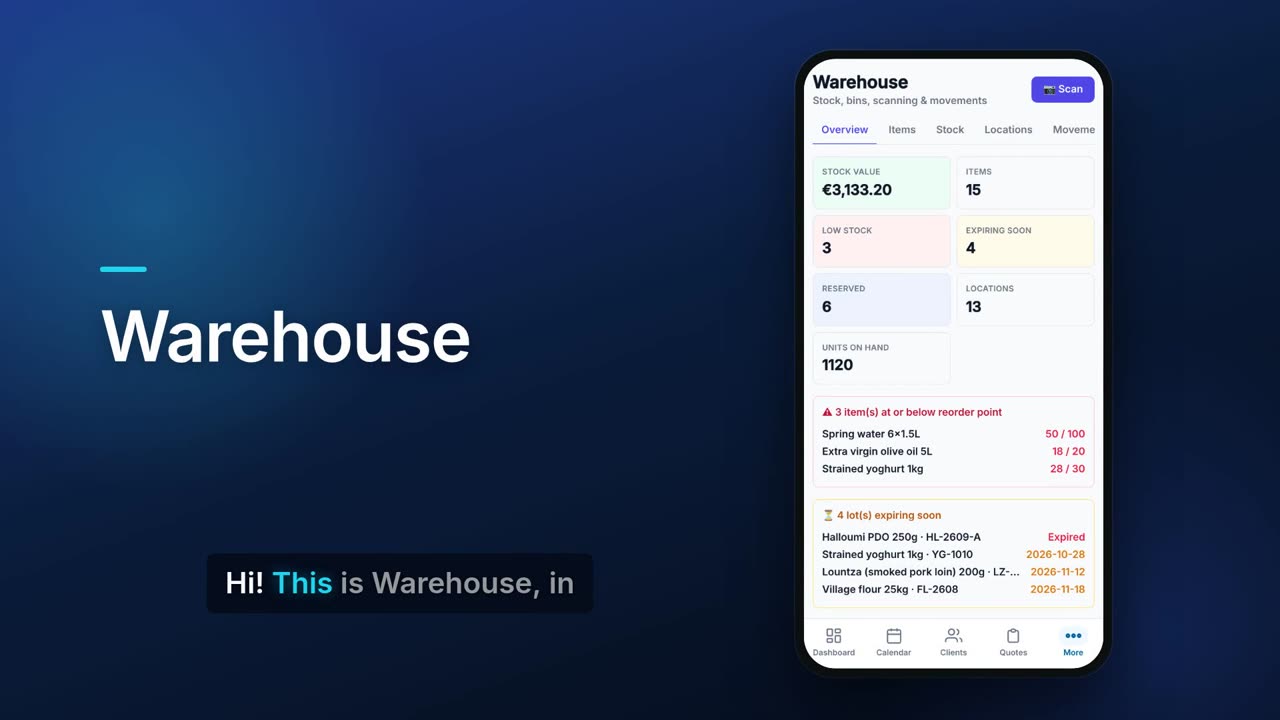
Stock value at cost, number of items, units on hand, low stock, lots expiring soon, reserved units and locations, with the latest movements.
Reorder point alerts
A list of items at or below their reorder point, showing on hand against the reorder point.
Lots and expiry dates
Track items by lot or batch and by expiry date. Lots expiring within 30 days, or already expired, are listed on the overview.
Earliest expiry first
When you pick or ship a lot-tracked item, Flow suggests the lot with the earliest expiry and its bin.
Expired stock is not sold
Sales and invoices skip lots past their expiry date. A banner on Warehouse lists items with expired lots, and you get a notification when expired stock is still on hand or a sale came up short because of it.
Warehouses, zones and bins
Build a location tree of warehouses, zones, aisles, racks and bins, plus receiving, shipping and staging areas, each with a status and temperature.
Seven movement types
Receive, Transfer, Pick, Ship, Adjust, Reserve and Release, each recorded with item, quantity, bins and what it was for.
Phone camera scanning
Scan a barcode or QR code with your phone. A known code opens Receive for that item; an unknown one offers to create the item.
Printable QR labels
Print QR labels for bins and for items.
Items with barcode, cost and price
Each item has an SKU, barcode, unit, cost, price, margin, reorder point and reorder quantity.
Non-stock items
Mark charges like electricity, water or a fee as no stock: they can be part of a product but are never counted or shown as low.
Stock counts
Start a count, type what you found next to what was expected, and apply the differences as adjustments.
Stock for projects
Issue stock to a project or job site and see the materials used and their value.
Stock out when you invoice
Issuing an invoice can take its matching items out of stock, and voiding it puts them back. You can switch this off in Settings.
Safe delete
Deleting an item or bin that still holds stock moves that stock to a quarantine bin first and tells you the quantity.
Excel import and export
Export your items with on-hand quantities to Excel, or import items from a sheet.
Real screens.
From the app, using a demo company.


Price.
Prices exclude VAT. Needs the Pro or Teams plan. See all CySo prices.
€59 / month + VAT
€70.21 incl. VAT. Warehouse is an add-on on the Pro or Teams plan, and Products comes with it. Warehouse replaces Inventory (only one stock system can be on), and switching moves your stock across. Yearly costs the same as 10 months.
Works well with.
Try Warehouse in CySo Flow.
Start on the free plan and switch modules on from inside the app.