
Included from Pro
Purchasing
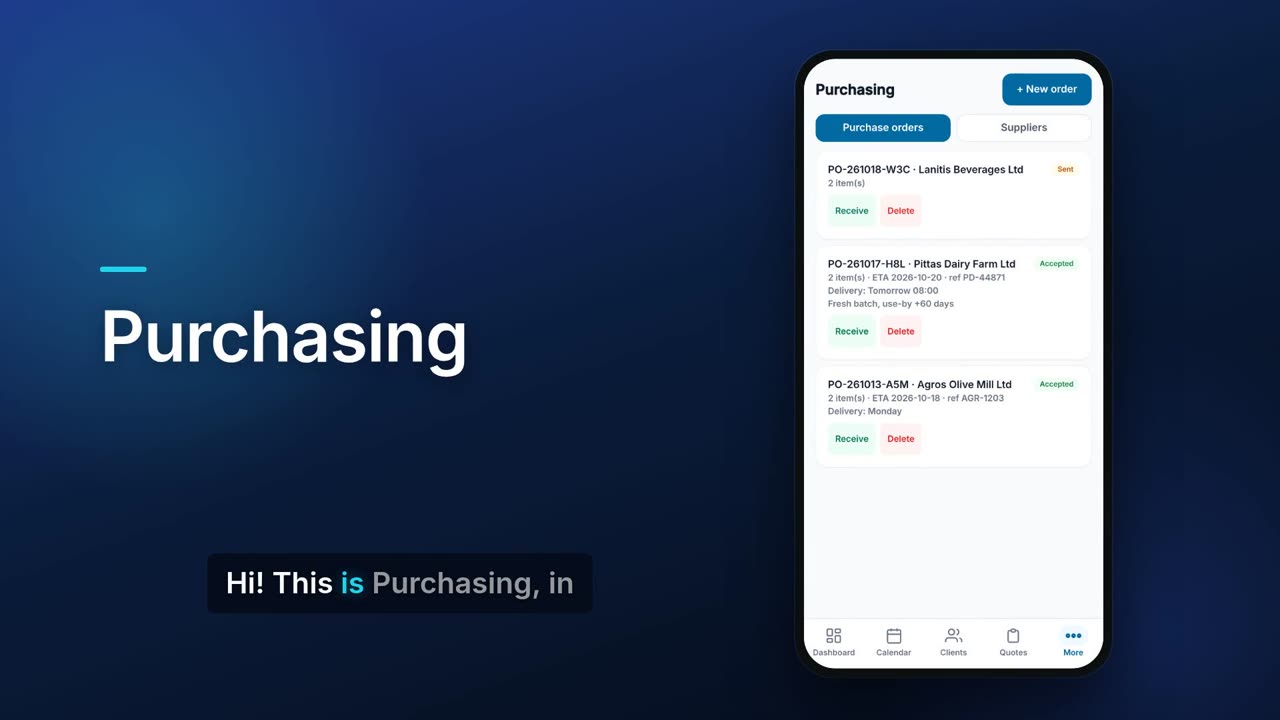
Purchasing keeps your suppliers in one list and sends them purchase orders as a link. The supplier opens the link, accepts the order and gives a delivery date and their reference, without changing your quantities. With Warehouse on, you receive the order straight into a bin.

See it in one minute.
What it does.
Supplier list
Keep each supplier's name, e-mail, phone, company and notes in one place.
Import suppliers from CSV
Bring in an existing supplier list from a CSV file.
Create a purchase order
Pick a supplier, add items with quantities, units and unit costs, and add a note. Item names are suggested from your stock list, and the order total is shown.
You decide if prices are shown
A switch in Settings decides whether the supplier sees your unit costs and the order total. It is off by default, so the supplier sees items and quantities only.
Supplier acceptance page
The supplier gets a link to a page showing the items, and accepts with a delivery date, their invoice reference, delivery details and a note. They cannot change your quantities.
Sent by e-mail or by link
The order is e-mailed to the supplier when your e-mail sending is set up; otherwise Flow shows the link for you to copy and send.
Order status at a glance
Each order shows Sent or Accepted, the delivery date, the supplier's reference and their delivery note.
Links expire
A purchase order link stops working after 21 days.
Receive into a bin (with Warehouse)
With Warehouse on, receive an order into a chosen bin, with lot and expiry for tracked items. The receipt is booked in the movement ledger against the order.
Part deliveries
Receive what arrived now and use Receive rest when the remainder comes.
Real screens.
From the app, using a demo company.


Price.
Prices exclude VAT. See all CySo prices.
Included
Included in the Pro and Teams plans at no extra cost. Receiving into bins needs the Warehouse add-on. E-mailing orders needs your own e-mail (SMTP) sending set up.
Works well with.
Try Purchasing in CySo Flow.
Start on the free plan and switch modules on from inside the app.