
Included in every plan
Quotations
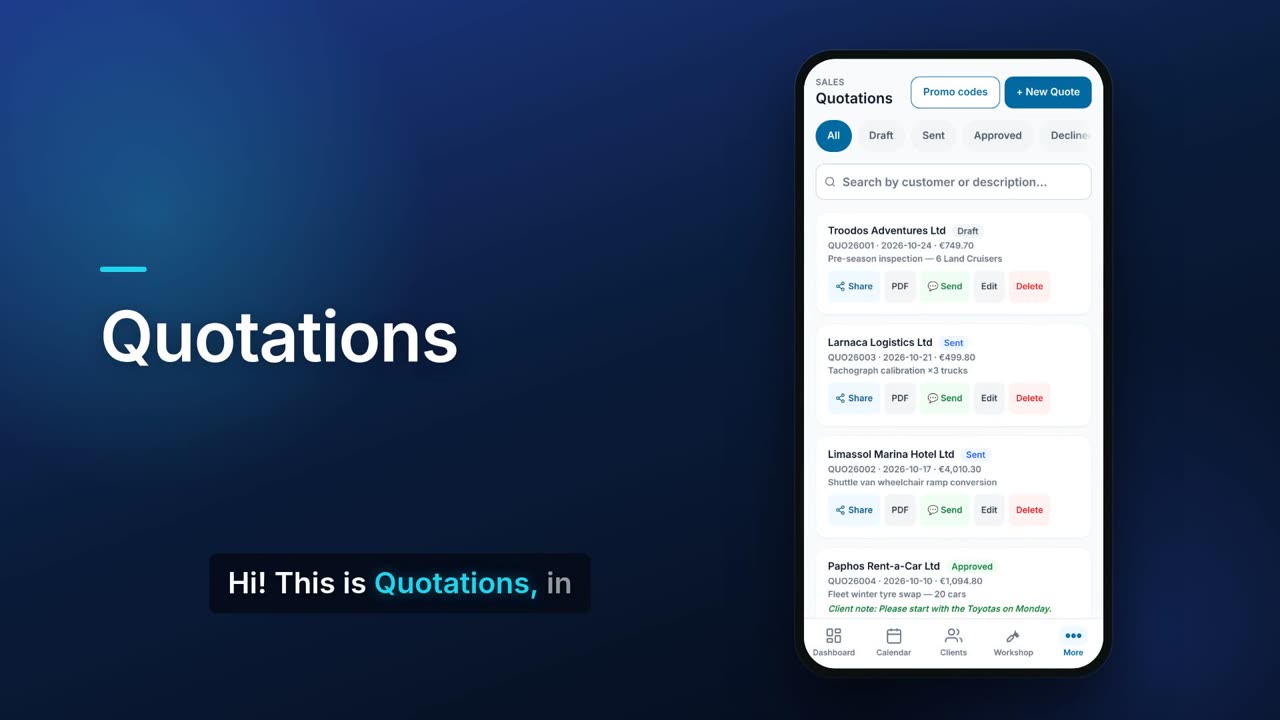
Build a quote with the client, the date and time slot, line items, VAT and an optional deposit. Share a link and your client reads the quote, adds a note, signs and approves it from their phone. Once a quote is approved, Flow adds the job to your calendar so the work is booked.

See it in one minute.
What it does.
Every quote by status
Filter quotes by Draft, Sent, Approved or Declined, and search by customer or description.
Online approval link
Share a link to the quote. Your client sees the lines and totals, can leave you a note, signs on screen and approves it.
Client note and approval date
An approved quote shows the note your client left and the date they approved it.
Approved quotes become jobs
When a quote is approved, Flow adds it to your calendar as a job with its lines and deposit terms the next time Flow is open. With the Workshop module in workshop mode it becomes a work order instead.
Date and time slot
Each quote carries a date, a start time and an end time, which the job then uses.
Line items with cost and discount
Add lines with quantity, unit price, your cost and a discount per line. Save a set of lines as a template and load it into the next quote.
Deposit on acceptance
Ask for a deposit as a percentage or a fixed amount. The client sees the deposit due on the approval page.
Valid-until date
Set how long the quote stands.
Promo code on a quote
Type a promo code and Flow shows the discount and the new total before you save.
Promo codes manager
Create percentage or fixed-amount codes with an expiry date, a minimum amount and a maximum number of uses. Choose whether a code works on quotes, subscriptions or both, and see how often it has been used.
PDF in English or Greek
Download the quote as a PDF in your chosen document language.
Send from your phone
Send the quote PDF through your phone's share sheet, for example by WhatsApp.
New client on the spot
Add a new client from inside the quote form without leaving it.
Internal comments
Keep a comment thread on a saved quote for your own team.
Real screens.
From the app, using a demo company.


Price.
Prices exclude VAT. See all CySo prices.
Included
Quotations are part of the free core on every plan. They do not count towards the free plan's monthly invoice limit.
Works well with.
Try Quotations in CySo Flow.
Start on the free plan and switch modules on from inside the app.