
Add-on · €59 a month
Workshop
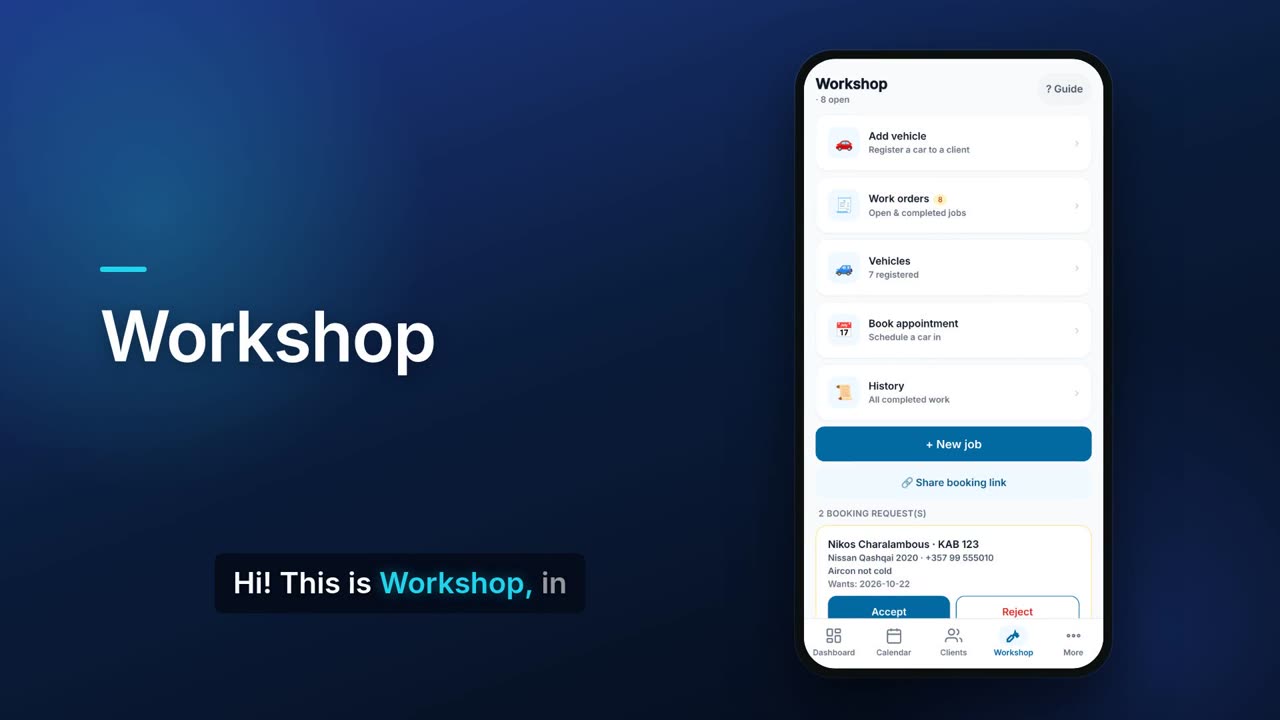
Workshop gives a vehicle garage or equipment repair shop numbered work orders, a vehicle register and an inspection checklist. It records labour and parts, gets the client's approval online and records deposits. When the job is ready, one tap makes the tax invoice with any deposit already deducted.

See it in one minute.
What it does.
Numbered work orders
Each job gets a WS number and holds the client, vehicle, reported problem, diagnosis, work performed, technician and dates.
Status filters
Move each job through Booked in, In progress, Awaiting parts, Ready, Delivered or Cancelled. Filter the list by status, with a count on every filter.
Search everything
Find a work order by job number, plate, serial number or client.
Vehicle register
Keep each client's vehicles with plate, make, model, year, VIN, mileage, colour, photos and a service log. You can see what each one has spent to date, its number of visits and its last visit.
Vehicle history PDF
Share a vehicle's history as a PDF, with or without prices.
Inspection checklist
Add a checklist (for a vehicle: brakes, tyres, lights, fluids, battery, suspension) and mark each item OK, Attention or Urgent with a note.
Intake record
Record the fuel level on arrival, any damage already there, items left in the vehicle and the amount the client authorised.
Labour and parts
Add labour and parts lines, and pick parts from your Inventory stock. Close the job to take the used parts off stock once.
Cost and profit
See manhours, your labour cost, other expenses and what the client pays, then your profit on the job. You can export it to Excel.
Client approval online
Send the client a link to approve the work. Inspection items marked Attention or Urgent are shown to them on the approval page.
Deposits
Record deposits on the job. When you bill it, they are added to the invoice as a payment and the balance due is shown.
Invoice in one tap
Every open job has a Create invoice button. You can bill a job more than once, for new work only, and the invoices are numbered WS-0012-1, WS-0012-2 and so on.
Online booking requests
Share a booking link and customers request a day for their car. You accept or reject each request, and accepting creates the work order.
Timeline and PDFs
Keep a dated timeline of events with photos and PDFs. Share the work order as a PDF, with or without prices.
Walk-in cash sales
Open a job for a walk-in customer without a client record, and save them as a client later.
Real screens.
From the app, using a demo company.


Price.
Prices exclude VAT. Needs the Pro plan or above. See all CySo prices.
€59 / month + VAT
€70.21 incl. VAT. Workshop is an add-on on top of the Pro plan or above. Taking parts off stock uses the Inventory module, which is included from Pro. Yearly costs the same as 10 months.
Works well with.
Try Workshop in CySo Flow.
Start on the free plan and switch modules on from inside the app.