
Included from Starter
Service reports
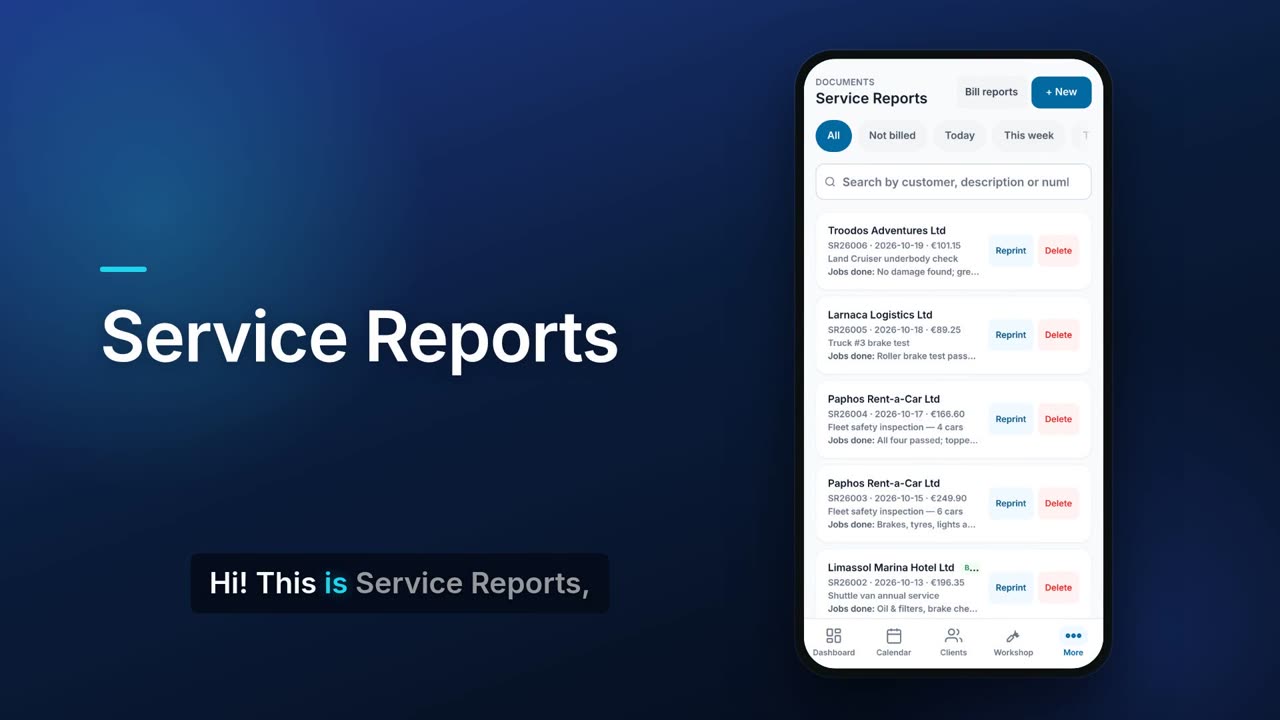
A service report is a numbered record of a job: the client, the date of service, what was done and the priced items. You can write one from scratch or generate it from a calendar job. Later you can bill several reports to the same client on one invoice.

See it in one minute.
What it does.
Numbered reports
Each report gets the next number in its own series automatically (for example SR26004).
Priced line items
Add items with quantity, unit price, cost and discount, with the VAT rate and totals worked out for you.
Technician's notes
What your technician wrote under jobs done comes across onto the report and is printed with the description.
From a calendar job
Generate a service report straight from a job. It keeps the job's times and the client's signature.
Find any report
Filter by All, Not billed, Today, This week or This month, and search by client, description or number.
Bill several at once
Tap Bill reports, tick the reports you want, and create one invoice. The reports must be for the same client and use the same VAT rate.
Never billed twice
Each billed report is marked Billed and linked to its invoice, and can no longer be selected for billing.
Reprint as PDF
Reprint any report as a PDF whenever you need it.
Recurring reports
For regular visits, set a report to repeat weekly, every two weeks, monthly, quarterly, every six months or yearly. This needs the Subscriptions module, which is included from Pro.
Reports from your team
Technicians can write up a report for a client on one of their own jobs from their job screen.
Per-client view
Each client's page has a Reports tab listing their service reports.
Real screens.
From the app, using a demo company.


Price.
Prices exclude VAT. Yearly billing costs the same as 10 months. See all CySo prices.
Included
Service reports are included from the Starter plan. Recurring reports also need Subscriptions, included from Pro. With Workshop on, the Reports menu item is hidden by default because the shop uses work orders, but you can switch it back on.
Works well with.
Try Service reports in CySo Flow.
Start on the free plan and switch modules on from inside the app.