
Add-on · €19 a month
Tickets
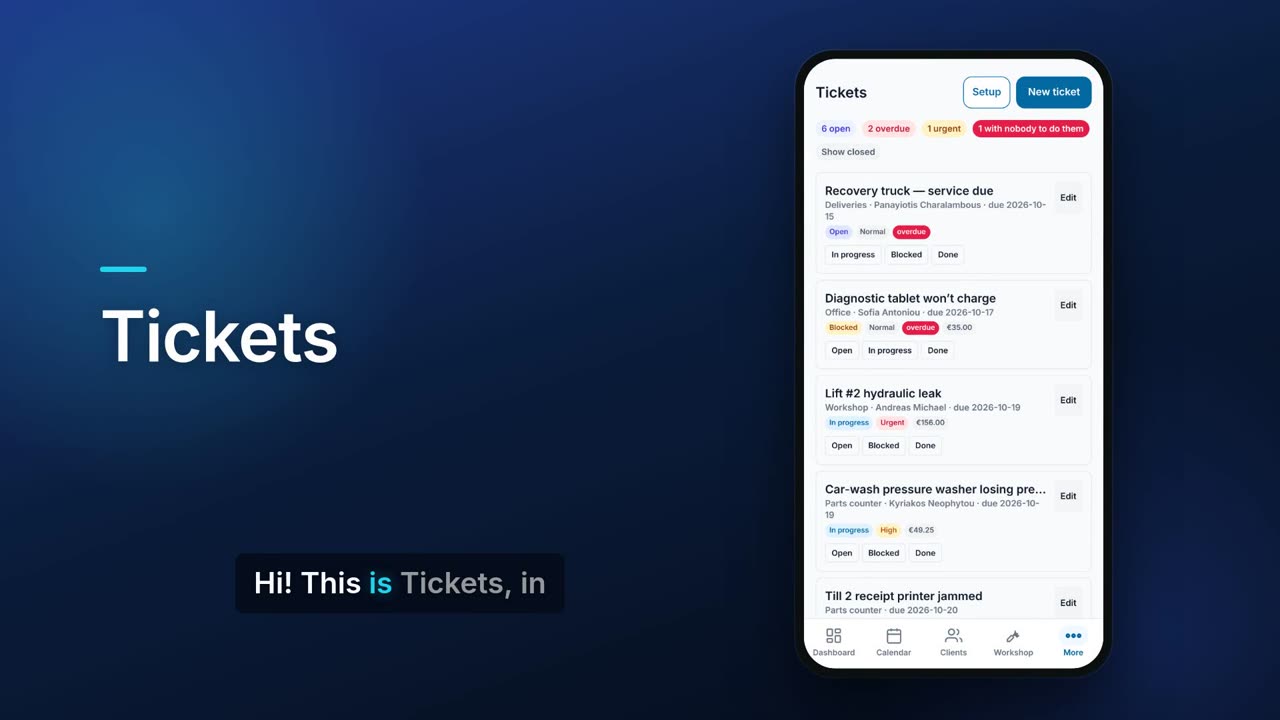
When something breaks at work, anyone can raise a ticket saying what is wrong, how urgent it is and which department should deal with it. The list shows what is overdue, what is urgent and what has nobody to do it. When the job is done you record what fixed it and what it cost, and the closed ticket becomes a read-only record.

See it in one minute.
What it does.
Raise a ticket quickly
Say what is wrong, add details, and pick the department and priority (Low, Normal, High or Urgent). You can also set an assignee, a location and a category.
Routed to a department
Tickets go to a department rather than a single person. New tickets go to the department you choose in setup unless the person raising one picks another.
Due date from the priority
You set how many days each priority gets, and a new ticket's due date is filled in from it.
What needs attention, counted
The top of the list counts open, overdue and urgent tickets, and how many have nobody to do them.
Nobody-to-do-it warning
A ticket sent to a department with no staff and no assignee is flagged in red, and the form warns you before you save it.
Sensible order
Overdue tickets come first, then Urgent, High, Normal and Low, oldest first.
One-tap status
Move a ticket to Open, In progress, Blocked or Done straight from the list.
Cost of the fix
Add parts with quantity and unit cost, expenses with a photo or PDF of the receipt, and time spent at an hourly rate. Flow totals them and shows the cost on the ticket card.
Photos and notes
Attach photos of the fault and keep a thread of notes, each with who wrote it and when.
Closed tickets become records
Record what was wrong and what fixed it. Once closed, a ticket can no longer be rewritten, only noted, reopened or printed.
Reopen count and change history
A ticket that is closed and reopened shows how many times it came back, and the history lists who changed what and when.
Categories
Set your own categories, so over time you can see what keeps failing.
PDF of a ticket
Export any saved ticket as a PDF.
Real screens.
From the app, using a demo company.


Price.
Prices exclude VAT. Needs the Pro plan or above. See all CySo prices.
€19 / month + VAT
€22.61 incl. VAT. Tickets is an add-on on the Pro plan or above. Departments and staff come from Employees setup, so you need departments set up there to route tickets. Yearly costs the same as 10 months.
Works well with.
Try Tickets in CySo Flow.
Start on the free plan and switch modules on from inside the app.